Jira AI features explained: 10 practical ways to work faster in 2026

In the past year, Jira AI features have advanced on every front imaginable. They can work as a team member who never sleeps, a global network connecting all your data sources, and a researcher who's already read everything your team has ever written down.
If you want to figure out where the hype ends and reality begins, and you want actionable insights you can put to work this week, this article on Jira AI features is for you. No fluff about artificial intelligence in general — just what actually moves the needle on productivity for project management and team collaboration alike.
TL;DR
- Jira AI is not a single product; it's four layers stacked on top of each other, and most of it is just part of using Jira, not an upsell in disguise.
- The real edge over a generic chatbot is that native AI already knows your permissions and the live state of your project.
- The actual skill worth building this year is knowing your team's exact weak spot and pointing one precise tool at it — not collecting every agent you can find.
What Is Jira AI? A quick primer
Jira AI is the umbrella term for everything AI-related, from a generic issue summary to a fully autonomous agent that reads a bug ticket, writes the fix, and opens a pull request linked back to the issue. Underneath that umbrella, Atlassian Intelligence is the AI built directly into Jira, Confluence, or Jira Service Management for things like rewriting a description or generating a query.
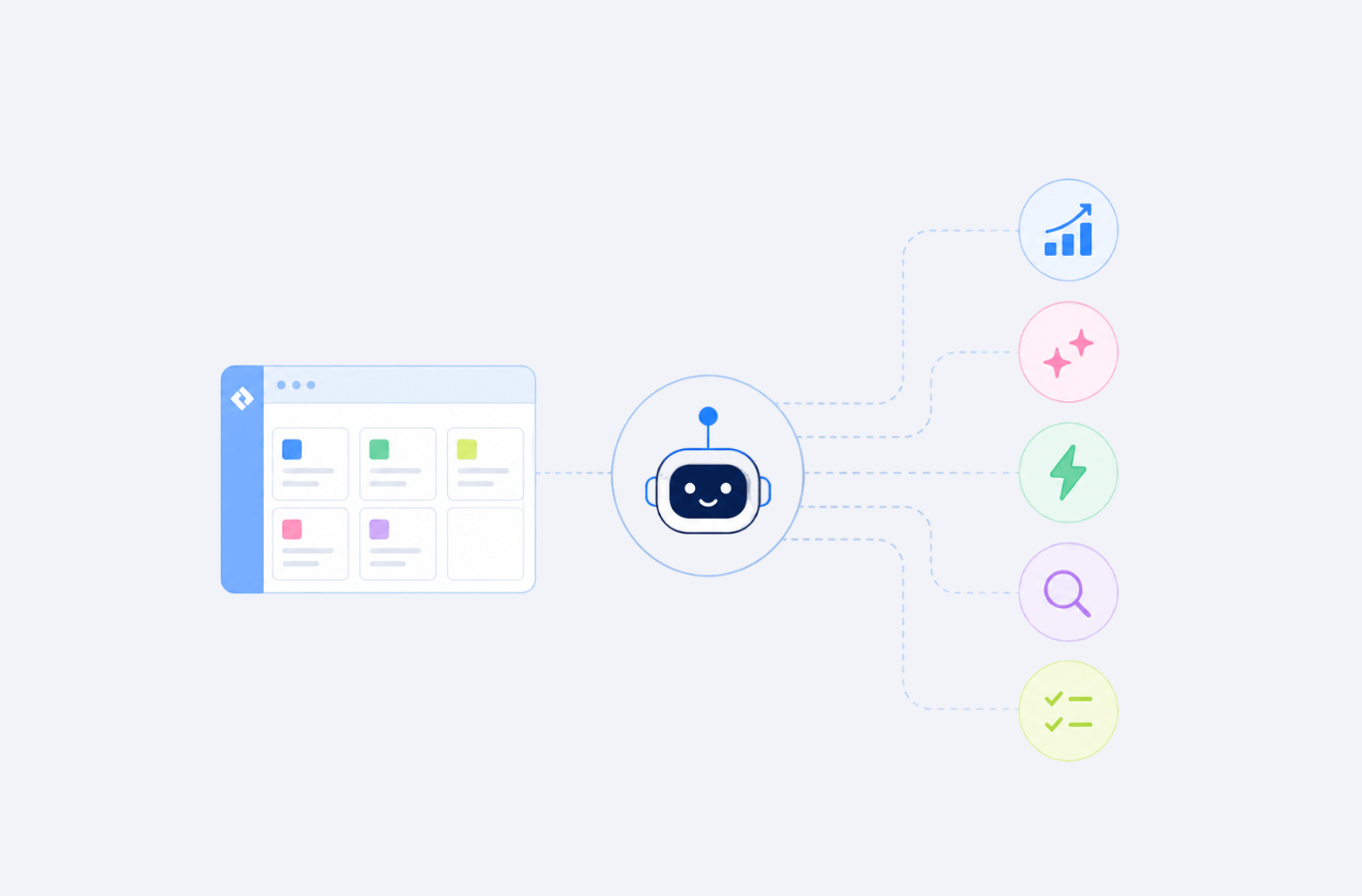
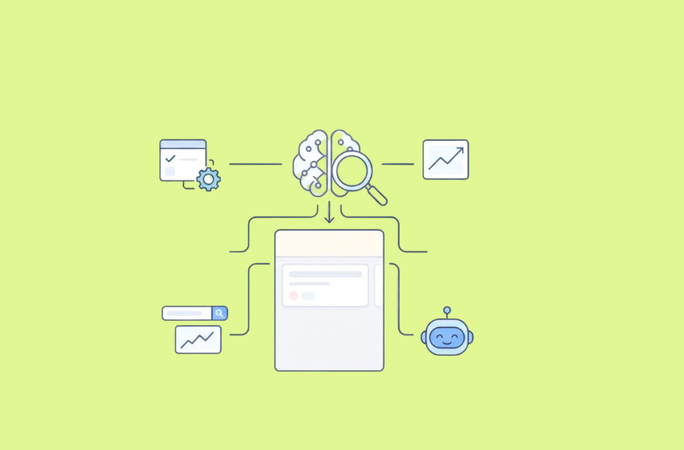
But that’s just the tip of the iceberg. Atlassian has also given us Rovo — its very own GenAI product that connects Jira Software to everything else your team uses and lets people and agents search, reason, and act across them. Behind it all is the Teamwork Graph — a shared knowledge layer that links issues, documentation, people, and other work data into a single connected context.
A detailed breakdown of the Jira AI ecosystem
Now, let’s go over each component of Atlassian’s AI estate.
Atlassian Intelligence
Atlassian Intelligence is the native AI layer built into Jira Software, Confluence, and Jira Service Management. It offers straightforward AI assistance so that users don’t have to switch to another tool, and uses natural language processing and AI-powered suggestions to help you work faster inside a single window.
Across Jira Software and Jira Service Management, Atlassian Intelligence covers:
- rewriting and summarizing issue descriptions and smart field suggestions;
- natural language search across a project;
- generation of workflow automation rules from a written description;
- AI‑powered work breakdown that turns large tasks into structured subtasks;
- customer sentiment analysis on support tickets to flag who needs urgent attention.
As is often the case, the deepest AI-powered features (like AI work breakdown) sit behind Premium and Enterprise plans, though basic rewriting and search ship even on lower tiers. Before assuming a certain feature is unavailable, check which apps on your Standard, Premium, or Enterprise plan you're licensed for.
Rovo
Rovo is Atlassian's cross-product AI layer that connects Jira, Confluence, Slack, Google Drive, and 100+ other apps. That cross-functionality is exactly what sets it apart from Atlassian Intelligence: it answers complex queries across all your projects, spaces, and other tools, while Atlassian Intelligence always operates inside a single ticket or board.
Rovo is made up of:
- Rovo Search, for cross-tool search across your knowledge bases.
- Rovo Chat, for conversational AI assistance on questions that span more than one tool.
- Rovo Agents, for designing and running specific automations and workflows.
- Rovo Studio, for building custom agents scoped to your team's own way of working.
Source: atlassian.com
AI Agents
Out of all four layers, this is the one getting the most airtime. The idea driving it is straightforward: cut down on agent sprawl — AI scattered everywhere, turning work into a messy, uncontrolled patchwork. AI agents in Jira exist to pull that work back into one place: an agent sits in the assignee dropdown, gets @mentioned in comments, and inherits your existing Jira permissions automatically.
These agents work best on small, single-trigger jobs — like wiring a Confluence automation to post meeting-page updates straight into a team's Slack channel. That's the shape these agents actually land in well: structured, in-product, one clear trigger and one clear action.
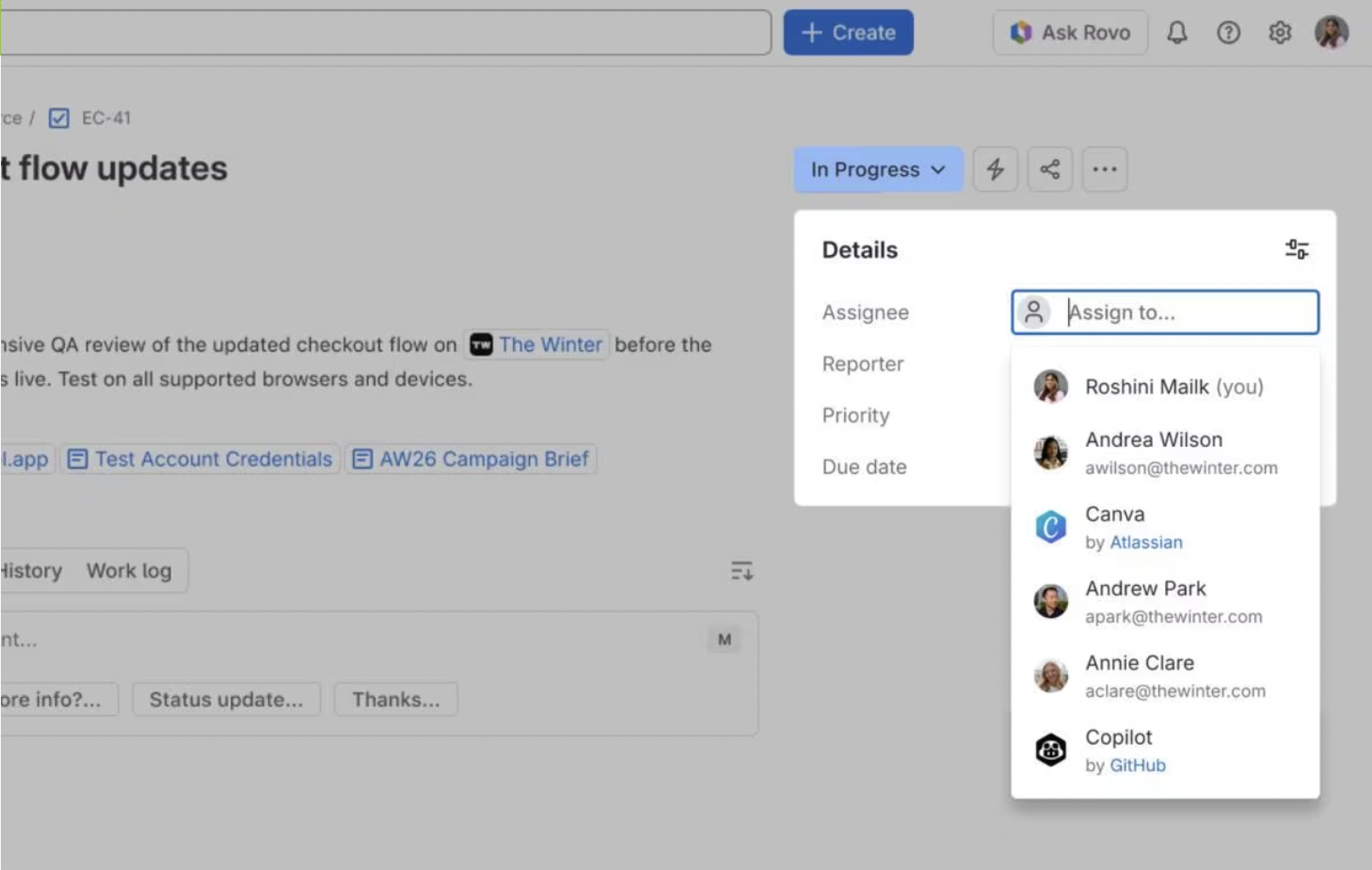
Source: atlassian.com
Here are a few more things agents are already handling well in 2026:
- Turning an internal ticket description into a short, jargon-free public roadmap summary (and refreshing it automatically every time the internal doc changes).
- Pulling completed work, bug trends, cycle time, and blockers into one retrospective summary right after a sprint closes.
- Automatically clustering related issues into themes, surfacing patterns that make backlog analysis and prioritization dramatically easier.
- Finding similar past requests, suggesting who's best placed to handle a new one, and drafting a first response immediately.
- Surfacing relevant ticket details right where the code is being written.
Teamwork Graph
The Teamwork Graph is the quiet force behind everything else here — easy to overlook, hard to overstate. It's a shared data layer that connects, analyzes, and surfaces the underlying patterns between every issue, page, message, and person across your Atlassian apps (over 150 billion connections at last count).
Atlassian opened it up in 2026 through a CLI and a Rovo MCP Server, meaning other tools (including coding agents like Claude Code) can now read from and write to that graph directly. Atlassian’s own numbers put agents that use the graph at roughly 44% more accurate and using about 48% fewer tokens than ones working from raw text.
Why do we need Atlassian Jira AI features if we already have ChatGPT (and the likes)?
Context is the answer. ChatGPT doesn't live inside Jira, so it can't keep up with a project that's constantly changing underneath it. You can connect ChatGPT to Jira through a plugin or API, but unless someone builds it very carefully, it won't automatically respect who's allowed to see what. Jira AI features work directly on your existing data and inherit your real Jira permissions — that's the actual differentiator.
| Task | Jira AI | ChatGPT |
| Rewrite issue | ✅ | ✅ |
| Search Jira | ✅ | ❌ |
| Generate JQL | ✅ | ❌ |
| Read project context | ✅ | ❌ |
| Cross-reference Confluence | ✅ | ❌ |
| General brainstorming | Limited | ✅ |
| Act on Jira work items | ✅ (With Rovo/automations) | ❌ (by default) |
| Search across connected apps | ✅ (With Rovo Search) | ❌ |
| Generate automation rules | ✅ | ❌ |
| Flag risk based on real capacity | ✅ (With Planyway's Delivery Risk agent) | ❌ |
| Write code and open a PR | ✅ (Rovo Dev) | ❌ (by default) |
| Respect Jira permissions | ✅ | ❌ |
10 things you can actually do with Jira AI (Rovo & Agents) right now
This list comes from our own hands-on experience and our users' experience — things we're already running today to automate tasks. It's roughly ordered from “quick win this afternoon” to “changes how your team plans.” Some tackle genuinely large tasks like sprint prep; others just clear out small, routine tasks that pile up.
Clean up a whole backlog's titles in one go
Ask Rovo to shorten and clarify vague titles across a project in one pass so every ticket follows the same clear pattern and anyone can tell what a ticket is about from the title alone, without opening it.
Find what's not ready for refinement
One query to Rovo surfaces every issue missing an estimate, an assignee, or acceptance criteria. This small addition to your stand-up prep routine saves you from a lot of unpleasant surprises once the meeting is already underway.
Get up to speed on a project you’re new to
New to a board? A single prompt gives you a plain-language overview. Ask Rovo to explain what the team is building, what's currently in progress, which work is blocked, and where to start. Instead of piecing together context from dozens of issues, you get a clear summary in seconds.
Translate a technical ticket for a non-technical stakeholder
Open the ticket and have Atlassian Intelligence rewrite it for a non-technical audience. Different readers need different details — this one step before a status update can make the meeting itself faster and far more useful.
Turn rough notes into a clean status update
Most status updates don’t come as structured, ready-for-reporting summaries. Typically, it’s just a bunch of scattered notes accumulated from meetings, comments, and a list of things that changed since last week. To this end, you can drop your half-formed notes into the ticket's AI editor and let it turn them into a structured, context-aware, polished status update.
Draft your retro notes automatically
Sprint retros usually involve digging through completed issues, comments, bugs, and blockers to remember what happened. Rovo can pull completed work, bugs, and blockers from the sprint into a first-pass summary in minutes. The team still calls the shots in terms of priorities, but nobody has to start with a blank page.
Catch hidden dependencies before sprint planning
Nobody wants to find a blocker when it’s too late. Ask Rovo which tasks in the upcoming sprint are waiting on unfinished work first. Finding these dependencies before planning starts helps teams avoid committing to work they can't actually complete.
Generate release notes from closed tickets
Release notes often become an annoying last-minute task: someone has to go through dozens of completed issues and translate technical updates into something customers or stakeholders can understand. Rovo can turn a sprint's worth of "Done" issues into a customer-readable changelog. Your team can take it from there instead of writing everything from scratch.
Assign routine work to an agent
The genuinely repetitive tasks like nudging people for overdue worklog entries or flagging duplicate tickets can now sit with an agent in the same board column as everyone else's work. . Instead of adding another checklist item to someone's day, the agent can monitor the board, take action when needed, and keep routine maintenance moving in the background.
Spot deadline risks before they become crises
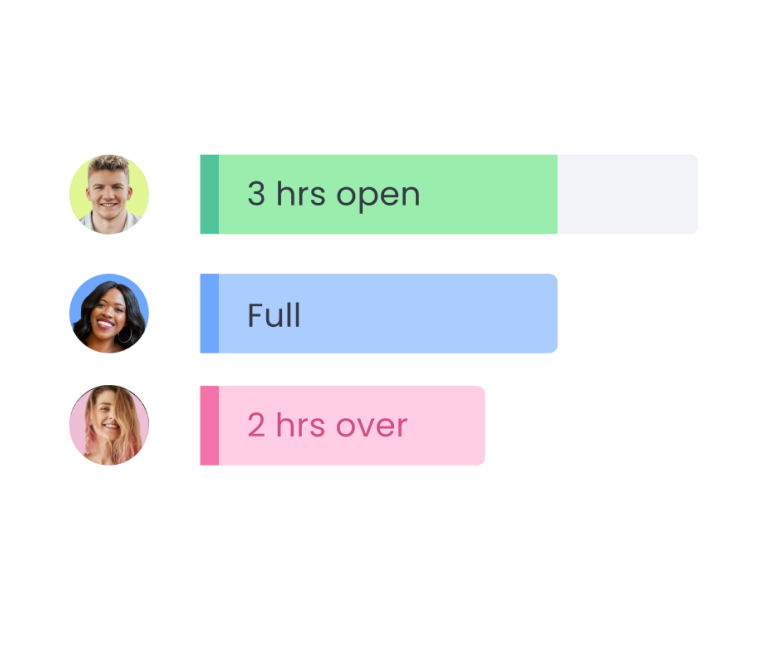
The thing about Jira boards is that while they show the as-is state of work, they don’t always show the full delivery picture. A ticket might look like it’s in the green zone based on its status and due date, but in reality, the assignee may be stretched too thin or capacity may have changed.
To track your delivery health, you can use Rovo-based Planyway's Delivery risk agent that combines Jira data with real planning context from Planyway cross-team planing app — including team capacity, workload, working calendars, time off, and remaining estimates — to identify issues likely to slip.
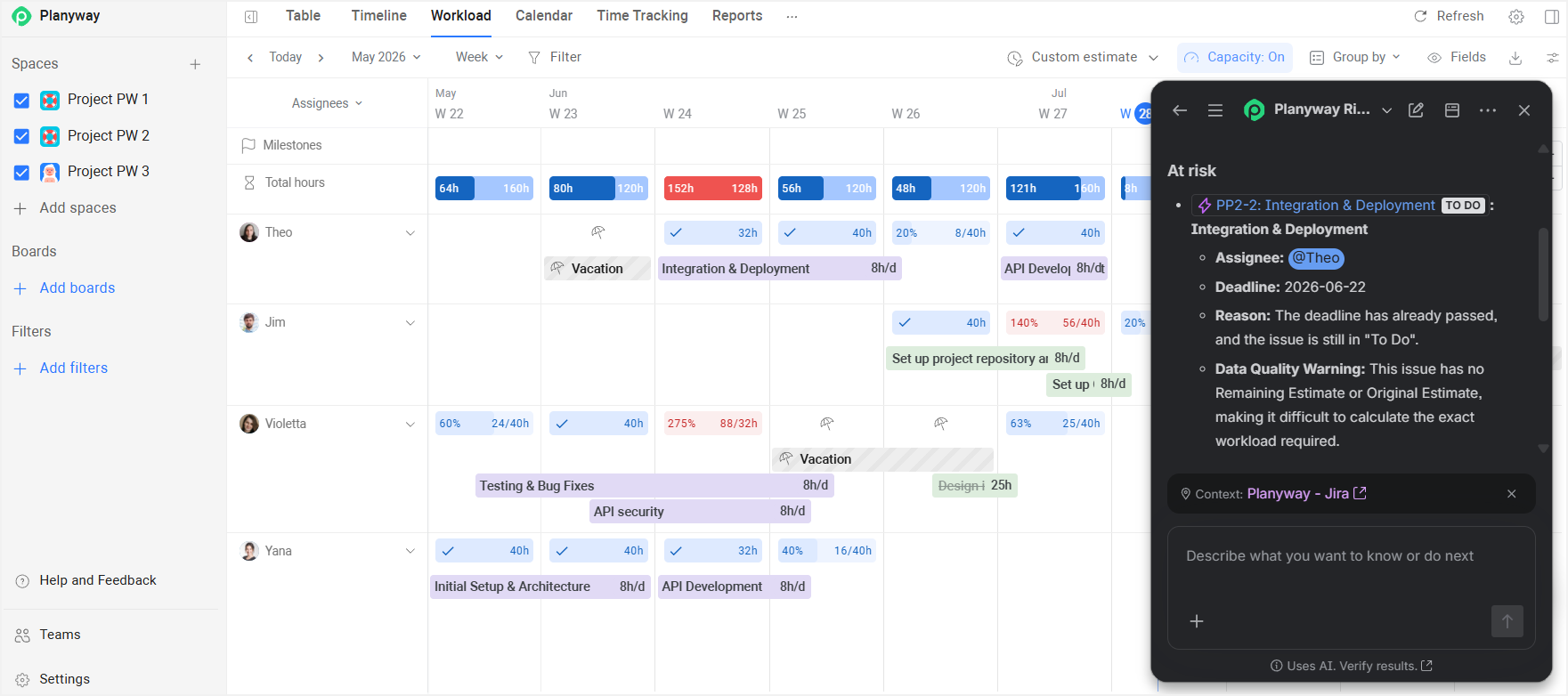
Instead of just flagging a risk, it explains what’s causing it, whether it’s an overloaded teammate, limited capacity, or competing priorities. Delivery and project managers can also ask it which tasks, sprints, or projects need attention, and get an instant delivery health check before problems become blockers.
What users get wrong about Jira AI
There's plenty of debate around AI, big and small, but here's something our own team has actually been talking about lately.
The biggest AI limit is in the credits
Every Jira agent draws from the same shared credit pool (25 a month on Standard, 70 on Premium, 150 on Enterprise, per license). People usually start from nothing, just rewriting one ticket a week, but before you've had time to look up, you're assigning agents to routine work at scale, or leaning on Rovo Dev for code review.
So the real constraint on "agents everywhere" in the next year or two isn't whether an agent is capable enough — it's whether your plan can actually pay for how often you want to run it.
The agents people get excited about aren't the default ones
Another interesting pattern: the most enthusiasm shows up around custom agents teams build themselves in Rovo Studio, not the ones Atlassian ships out of the box. Which makes sense: a narrow tool built for your exact problem usually just works better than a generalist one.
Narrow beats broad
When your credits are limited, a generic agent that does a little bit of everything is a worse bet than one narrow agent built to nail a single job. Scarcity has a way of forcing the question you should be asking anyway: what exactly do you need this for, and does this specific agent actually do that?
How to start using Jira AI this week
AI hype has a funny way of making you feel two contradictory things at once: that you're missing out and that the train already left without you. Neither feeling holds up. Getting started here is genuinely easy, and you'll get the hang of it faster than the hype suggests.
- Enable Atlassian Intelligence, if it isn’t already on for your site.
- Ask Rovo something that spans two tools at once and watch it pull from Confluence and Jira together instead of you tab-switching.
- Assign one small, low-stakes ticket to an agent instead of a person, just to see how it behaves.
- Open your oldest unread ticket and ask Atlassian Intelligence to summarize the whole comment thread.
- If you're on Jira Service Management, turn on Customer Sentiment Analysis for one queue and watch it for a week.
These are the fastest way to find out whether the hype matches what you’ll actually use.
Where Jira AI is going (and why it matters for your team)
If you look at Atlassian's last few releases, you'll get the concept: they're betting that the durable advantage isn't the chat interface or skill but the quality and sheer volume of context accumulated under the hood. You won't win this race by manically trying every new tool in search of a silver bullet anyway; you'll never keep up, and that's fine.
What actually matters is knowing your team's workflow well enough to spot exactly where they're weak and finding a way to strengthen and speed up that specific piece. That's rarely a problem solved by leveraging AI and bolting it onto everything. It's about identifying one well-defined weakness and applying the right solution where it will have the most impact.


FAQ
To use Atlassian AI features in Jira, you don't need to become an AI expert first. Start by simply turning on Atlassian Intelligence in your site settings if it isn't already enabled. From there, use it directly inside any issue to rewrite or summarize — that alone is simple and useful. For questions that span more than one Jira issue or project, try Rovo Chat instead.
There isn't a one-size-fits-all best option. The native combo of Atlassian Intelligence and Rovo covers most everyday needs for almost every team. To figure out what's actually best for you, start with the job you're trying to solve. You might need a purpose-built AI agent to cover one specific blind spot Jira has on its own.
Atlassian has more than one AI tool. Atlassian Intelligence is the AI baked into a single product; Rovo is the layer that connects several of them together through search, chat, and agents. AI agents execute various pieces of work on your behalf, and the Teamwork Graph is a shared map that ties issues, docs, and people together.
There's nothing to integrate for the native layer — that question only really comes up once you add third-party agents or custom solutions. That connection usually happens through Atlassian's extension platforms, installed straight from the Marketplace. Before enabling anything, the key check is whether it respects your existing Jira permissions and audit trail as strictly as native AI agents do.